5 Pre-Submission Checks That Prevent 80% of Ad Rejections
Meta Description: Stop wasting time on ad rejections. Learn 5 essential pre-submission checks to prevent 80% of rejections and keep your campaigns running smoothly. You’ve spent weeks refining the strategy. You’ve sweated over the copy, tweaked the color palette, and finally exported the perfect cr
Meta Description: Stop wasting time on ad rejections. Learn 5 essential pre-submission checks to prevent 80% of rejections and keep your campaigns running smoothly.
You’ve spent weeks refining the strategy. You’ve sweated over the copy, tweaked the color palette, and finally exported the perfect creative assets. With a sense of accomplishment, you hit "Submit" on your latest campaign. Then, you wait. Two hours later, the notification pings: Ad Rejected.
Your heart sinks. It isn’t just about the red text in your dashboard; it’s about the wasted momentum, the missed windows for optimization, and the looming threat of an account ban if this happens too often. If you’ve ever felt like you’re playing a high-stakes game of "Guess the Policy" with Meta, Google, or TikTok, you aren’t alone.
In the world of performance marketing—especially in regulated industries like finance, healthcare, or gaming—rejections are more than an annoyance; they are a significant drain on ROI. But what if you could prevent ad rejections before they even happen? By implementing a rigorous ad compliance checklist, you can catch the errors that trigger automated flags. In fact, most rejections aren't caused by major legal violations, but by small, preventable oversights.
Let’s dive into the five pre-submission checks that will help you bypass the "Rejected" status and get your ads live faster.
1. The Visual "Cleanliness" Audit
The first thing an ad platform’s AI looks at isn't your offer—it’s the image or video itself. These AI bots are trained to spot specific patterns that indicate low quality or policy violations. For example, did you know that according to industry data, nearly 40% of initial automated flags on Meta are triggered by visual cues rather than the actual text of the ad?
When you are performing a pre-submission ad review, you need to look at your creative through the eyes of a machine. Is there too much text? While the "20% text rule" is no longer a hard rejection trigger on many platforms, high text density still negatively impacts your ad’s quality score and can lead to shadow-banning or manual review triggers.
Are you using "before and after" imagery? In regulated sectors like health or beauty, showing a side-by-side comparison is a one-way ticket to rejection. The AI identifies the split-screen layout and flags it for "unrealistic expectations." Instead, focus on the lifestyle benefits or the process itself. Ask yourself: Does this image imply a result that might not be universal? If the answer is yes, the AI will likely flag it.
Check for "clickbait" buttons within the image. Placing a fake "Play" button or a "Close" icon on a static image is a violation of most platforms' deceptive practices policies. These are easy to catch if you have a dedicated ad review checklist, but they often slip through when you’re rushing to meet a deadline.
2. Claim Substantiation and "Absolute" Language
Copywriting is an art, but in regulated industries, it’s also a legal minefield. The most common reason for copy-based rejections is the use of "absolute" language. Words like "guaranteed," "permanent," "instant," or "risk-free" act as red flags for compliance bots. Why? Because regulators like the FTC and FCA have strict rules about misleading claims.
A staggering 70% of financial ad rejections stem from misleading or unsubstantiated claims regarding returns or ease of access. If you’re promoting a financial product, are you including the necessary disclaimers within the ad copy or the first frame of the video? If you’re in the supplement space, are you making "disease claims" (e.g., "this cures insomnia") instead of "structure/function claims" (e.g., "supports healthy sleep patterns")?
To prevent ad rejections, you must shift your language from "will" to "can" or "may." Instead of saying "You will earn 10% back," try "Users can earn up to 10% back." It seems like a small semantic shift, but it’s the difference between a live campaign and a suspended account.
How often do you check your copy against a list of prohibited keywords? Platforms maintain extensive "blacklists" of words related to sensitive topics. Even if your intent is pure, using a flagged word in the wrong context can trigger a rejection. This is where Hawtads becomes an essential part of your workflow, as it can automatically scan your copy for these high-risk terms before you ever upload them to the ad manager.
3. The Landing Page "Mirror" Test
One of the most overlooked aspects of an ad compliance checklist is what happens after the click. Ad platforms don’t just review your ad; they crawl your destination URL. If there is a disconnect between the promise made in the ad and the reality of the landing page, you’re going to face a rejection for "Circumventing Systems" or "Misleading Content."
Google, for instance, rejects millions of ads annually specifically because of landing page mismatches or "malicious software" flags on the destination site. The "Mirror Test" is simple: If your ad mentions a 20% discount, that 20% discount must be the first thing the user sees on the landing page. If the ad is about a specific loan product, the landing page cannot be a general homepage; it must be the specific product page with all required legal disclosures visible.
Furthermore, check your landing page’s technical health. Does it have a clear Privacy Policy and Terms of Service link? Is the "About Us" section easy to find? Platforms view these as "trust signals." An ad leading to a one-page site with no contact information is highly likely to be flagged as suspicious.
Do you have "pop-ups" that prevent the user from leaving the page? Most platforms consider "unclosable" pop-ups or "exit-intent" overlays that are too aggressive as a violation of user experience policies. Before you submit, click through your ad as if you were a skeptical regulator. Does the experience feel transparent and easy to navigate?
4. Technical Specifications and Metadata Scrutiny
Sometimes, a rejection has nothing to do with what the ad says and everything to do with how it was built. Technical rejections are frustrating because they feel arbitrary, but they are often the easiest to fix during a pre-submission ad review.
Consider load times. Data shows that 53% of mobile users will leave a site if it takes longer than three seconds to load. Ad platforms know this, and they will penalize or reject ads that lead to slow-loading pages to protect their own user experience. Use tools like Google PageSpeed Insights to ensure your destination is optimized before you launch.
Then, there is the metadata. Every file you upload contains hidden data. If you’re repurposing assets that were previously used in a rejected campaign, or if the file name contains "blacklisted" keywords (e.g., "weightloss_final_v2.mp4"), the platform's AI might flag it based on that history. Always use clean, descriptive, and neutral file names.
Check your aspect ratios and file sizes. While most platforms will try to "fit" your creative, an improperly cropped video can lead to a rejection for "Low Quality Content." Ensure your text safe zones are respected so that platform UI elements (like the "Shop Now" button or the profile icon) don't overlap your key messaging. A professional-looking ad is a compliant-looking ad.
5. Platform-Specific Nuance Checks
The final step in your ad compliance checklist is acknowledging that what works on Google might get you banned on Meta. Each platform has its own "personality" and specific sensitivities. For example, Meta is notoriously strict about "Personal Attributes." You cannot imply you know something about the user. Saying "Are you struggling with debt?" is a violation. Saying "Debt relief solutions for everyone" is usually fine.
TikTok, on the other hand, is highly sensitive to "Low Quality" or "Boring" content. They might reject an ad simply because it looks too much like a traditional TV commercial and doesn't fit the "native" feel of the platform. Meanwhile, LinkedIn has very specific rules about professional claims and B2B offers.
Recent data suggests that compliance-related delays cost agencies an average of 15 hours per month in rework. That’s nearly two full workdays spent fixing things that could have been caught earlier. Are you staying updated on the monthly policy changes for each platform? Most advertisers aren't, which is why they get caught off guard when a previously "safe" tactic suddenly starts triggering rejections.
To truly prevent ad rejections, you need to maintain a living document—a platform-specific cheat sheet—that tracks the latest quirks of the algorithms. Or, better yet, use an automated system that stays updated for you.
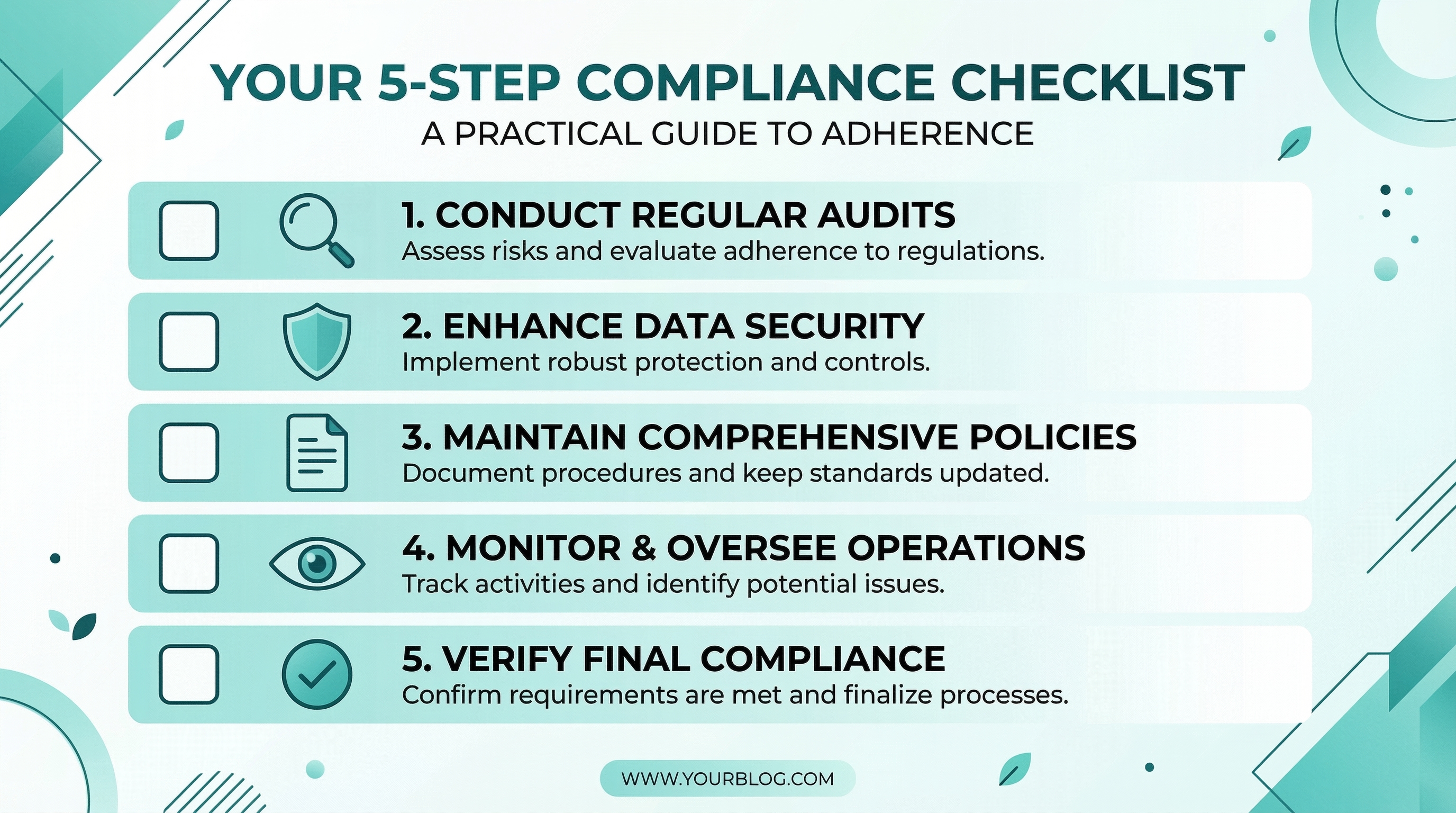
Summary: Your Pre-Submission Checklist
- Visuals: No "before and afters," no fake buttons, and minimal text density.
- Copy: Replace absolute claims with "can/may" language and check for blacklisted keywords.
- Landing Page: Ensure the offer matches the ad and that all legal links (Privacy Policy) are present.
- Technical: Optimize for mobile load speed and use clean file names.
- Platform: Adjust the tone to meet specific platform sensitivities (e.g., Meta’s Personal Attributes rule).
By taking ten minutes to run through these checks, you can eliminate the vast majority of common rejection triggers. But as your campaign volume grows, doing this manually for every single creative becomes impossible. Human error is inevitable, especially when you're managing hundreds of assets across different regions and regulations.
This is where automation becomes your competitive advantage. Instead of crossing your fingers every time you hit "Submit," imagine having a second set of "AI eyes" that has already memorized every platform policy and local regulation. That’s exactly why we built Hawtads.
Hawtads acts as your proactive compliance partner, scanning your creative and copy against the latest regulatory standards and platform policies before you ever spend a dime. It’s designed specifically for teams in regulated industries who can’t afford the downtime of a rejection or the risk of an account suspension. By catching potential issues in the design phase, you can keep your focus where it belongs: on scaling your winning campaigns.
Ready to stop guessing and start launching? See how Hawtads can streamline your workflow and keep your ads in the "Approved" column.