The Complete Adult Ad Creative Specs Guide: TrafficJunky, ExoClick, TrafficStars & More
The Complete Adult Ad Creative Specs Guide: TrafficJunky, ExoClick, TrafficStars & More Nothing kills the momentum of a high-potential affiliate campaign quite like the dreaded "Ad Rejected" notification. You’ve spent hours researching an offer, setting up your tracking, and warming up your budg
The Complete Adult Ad Creative Specs Guide: TrafficJunky, ExoClick, TrafficStars & More
Nothing kills the momentum of a high-potential affiliate campaign quite like the dreaded "Ad Rejected" notification. You’ve spent hours researching an offer, setting up your tracking, and warming up your budget, only to have your creatives tossed out because they were 2KB over the limit or used the wrong aspect ratio.
In the world of adult advertising, compliance is performance. If your ad doesn't meet the precise technical specifications of networks like TrafficJunky or ExoClick, it won't just get rejected—it will delay your scaling and give your competitors a head start. Furthermore, a creative that is "stretched" to fit a placement looks unprofessional and suffers from a plummeting Click-Through Rate (CTR).
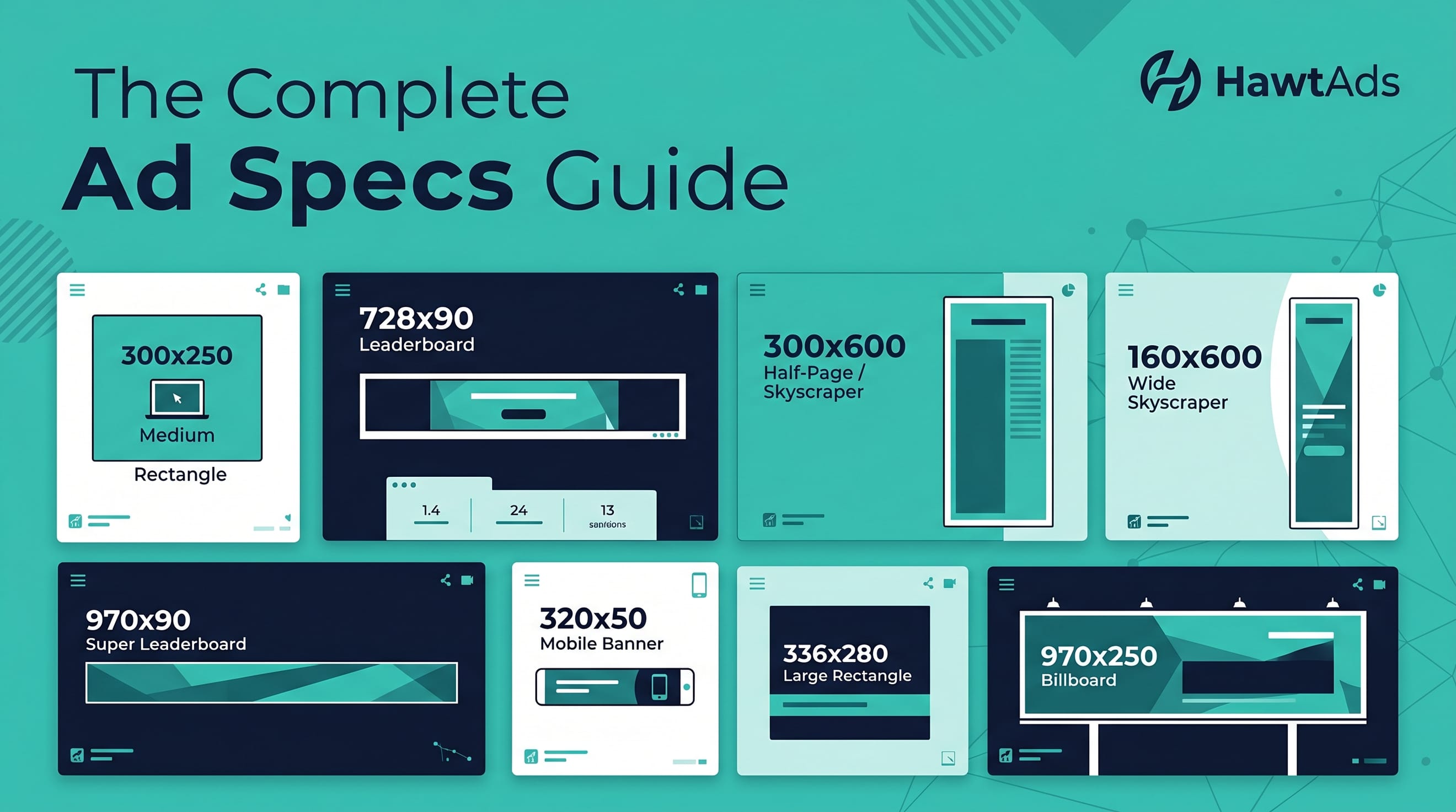
This 2026 adult advertising creative guide is designed to be your ultimate desk reference. We have compiled the exact dimensions, file weights, and technical requirements for the industry’s biggest traffic sources. Bookmark this page now; you will need it every time you launch a new campaign.
Why Specs Matter More Than You Think
Before we dive into the numbers, understand that "close enough" isn't enough. Adult ad networks use automated scanning tools and human moderators. If your 300x250 banner is actually 301x251, the system will likely auto-reject it. Even if it passes, an incorrectly sized image will be resized by the browser, leading to pixelation and blurriness. When a user sees a blurry ad, they don't click; they ignore it as low-quality spam.
By following these adult ad creative specs, you ensure your ads look crisp on Retina displays, load instantly on slow mobile connections, and pass the moderation queue on the first try.
TrafficJunky: The King of Pornhub Traffic
TrafficJunky (TJ) is the exclusive representative for MindGeek properties (Pornhub, YouPorn, RedTube). Because of their massive volume, their moderation is strict but predictable. They favor clean, high-resolution images that don't exceed their relatively tight file size limits.
TrafficJunky Banner Specs
| Placement Name | Dimensions (px) | Max File Size | Supported Formats |
|---|---|---|---|
| Medium Rectangle | 300x250 | 150 KB | JPG, PNG, GIF |
| Leaderboard | 728x90 | 150 KB | JPG, PNG, GIF |
| Half Page | 300x600 | 200 KB | JPG, PNG, GIF |
| Billboard | 970x250 | 250 KB | JPG, PNG, GIF |
| Mobile Banner | 300x100 | 75 KB | JPG, PNG, GIF |
TrafficJunky Video Specs
Video ads on TJ (Pre-roll and Post-roll) are highly effective for high-ticket offers. To pass, your video must be high-quality and correctly encoded.
- Aspect Ratio: 16:9 (1280x720 or 1920x1080).
- Length: 10 to 30 seconds (15s is the sweet spot).
- File Format: MP4 (H.264).
- Max File Size: 20 MB.
- Audio: Must be normalized; no sudden loud peaks.
Bookmark Tip: TrafficJunky is very sensitive to "distorted" images. Never stretch a 300x250 image to fit a 300x500 slot. Use HawtAds to generate native resolutions for each specific placement to avoid the "stretched look" rejection.
ExoClick: Global Reach & Diverse Formats
ExoClick is arguably the most technologically advanced network in the adult space. They offer a massive variety of formats, which means your ExoClick ad formats strategy needs to be diverse. They serve billions of impressions daily across a global network of publishers.
Display Banner Specs
ExoClick supports standard IAB sizes but also offers unique formats like the "Sticky Banner."
| Format | Dimensions (px) | Max File Size |
|---|---|---|
| NTV (Native) | 300x300 / 300x150 | 100 KB |
| Full Banner | 468x60 | 150 KB |
| Skyscraper | 160x600 | 200 KB |
| Mobile Footer | 300x50 / 320x50 | 50 KB |
Native Ad Specs
Native ads on ExoClick appear as "Recommended Content." They require an image and a headline.
- Main Image: 300x300 (1:1 ratio) or 300x150 (2:1 ratio).
- Title: Up to 50 characters.
- Brand Name:
- Up to 25 characters.
Push Notification Specs
Push is a powerhouse on ExoClick. It requires two distinct images.
- Icon Image: 192x192 px (This is what appears in the notification tray).
- Main Image: 720x480 px (The large image shown when the notification is expanded).
- Headline: Max 30 characters.
- Description: Max 40 characters.
Pro Tip: For ExoClick, always upload high-definition versions of your banners. Their system optimizes delivery for high-res screens, and ads with higher DPI often see a 15-20% boost in CTR.
JuicyAds: The "Marketplace" Approach
JuicyAds is famous for its ease of use and its "Juicy" specialty formats. They focus heavily on standard IAB sizes but have a few unique requirements for their mobile traffic.
Standard Banners
- 300x250 Rectangle: The most popular size on the platform. Max 150 KB.
- 728x90 Leaderboard: Best for desktop header placements. Max 150 KB.
- 468x60 Banner: Common in older site layouts and niche blogs.
Specialty Formats
- Instant Messenger (IM): 250x150 px. This mimics a chat window notification and has extremely high engagement rates.
- Mobile Popunder: No specific "size" as it opens a new window, but your landing page must be 100% responsive.
TrafficStars: High Volume, Premium Placements
TrafficStars is the go-to for xHamster traffic. They have a very clean UI and offer robust targeting. Their adult ad creative specs are generally aligned with industry standards, but they are very strict about image quality.
Banner & Native Specs
| Type | Dimensions (px) | Notes |
|---|---|---|
| Rectangle | 300x250 | High volume on mobile & desktop. |
| Square Native | 300x300 | Used in "Related Content" widgets. |
| Top Leaderboard | 900x250 | A premium, high-impact desktop format. |
| Mobile Slider | 300x100 | Slides in from the bottom of the screen. |
Video Specs
- Format: MP4.
- Resolution: Minimum 640x360, Recommended 1280x720.
- Duration: Up to 60 seconds (though 15-20s performs best).
ClickAdilla & AdMaven: Push and Pop Specialists
If you are running Push, Popunder, or In-Page Push, these two networks are likely in your rotation. These formats rely less on complex banner design and more on the "Hook" and the "Icon."
ClickAdilla Specs
- In-Page Push: 300x250 or 300x100. These look like push notifications but appear directly on the webpage.
- Popunder: Requires a fast-loading URL. No creative upload needed.
- Banner: Supports all standard sizes (300x250, 160x600, 728x90).
AdMaven Specs
- Push Notifications: Icon (192x192) and Big Image (492x328).
- Interstitial: 800x600 px (Full-screen ads that appear between page loads).
Common Spec Mistakes That Kill Your CTR
Even if your ad is technically "correct" in size, small errors in execution can lead to campaign failure. Avoid these common pitfalls:
1. The "Text Heavy" Trap
Adult users browse fast. If your 300x250 banner has three sentences of text, nobody will read it. Keep your copy to 5 words or fewer. Use a strong, high-contrast Call to Action (CTA) button like "Watch Now" or "Enter Site."
2. Ignoring the "Safe Zone"
On mobile banners (300x50 or 300x100), the edges of the ad can sometimes be cut off by the browser UI or site elements. Keep your most important visual elements and text centered to ensure they are always visible.
3. Excessive File Weight
If the limit is 150 KB and your ad is 149 KB, it might pass moderation, but it will load slowly on mobile 4G connections. Aim for 20-30% below the maximum file size. A fast-loading ad gets the click before the user scrolls past it.
4. Low Contrast Images
Adult sites are often dark-themed. If your ad has a dark background and dark text, it will disappear into the page. Use bright, high-contrast colors (yellow, neon green, or white) to make your creative "pop" against the publisher's site.
How to Produce Spec-Perfect Creatives Without a Designer
In the past, you had two choices: spend hours in Photoshop trying to resize a single concept into 12 different formats, or hire a designer on Fiverr and wait three days for them to send back files that might still be the wrong size.
The modern affiliate doesn't have time for that. You need to test 10 different hooks across 5 different networks today. This is where HawtAds changes the game.
The HawtAds Workflow: From Idea to Platform-Ready in 10 Minutes
HawtAds is an AI-powered creative automation platform built specifically for the adult industry. It understands the nuances of adult ad creative specs so you don't have to.
- Input Your Concept: Upload a base image or provide a prompt.
- Select Your Platforms: Check boxes for TrafficJunky, ExoClick, TrafficStars, etc.
- AI Generation: HawtAds generates high-converting, platform-compliant creatives.
- Auto-Sizing: The system automatically produces every required size (300x250, 728x90, 300x100, etc.) for your chosen networks.
- Download & Upload: You get a zip file of perfectly sized, optimized images that are guaranteed to pass moderation.
Unlike generic AI tools (like Midjourney or Canva), HawtAds is trained on what actually works in adult advertising. It knows where to place the CTA, how to frame the subject for a 160x600 skyscraper, and how to keep file sizes under the 150KB limit without sacrificing quality.
Time & Cost Comparison: The Reality of Scaling
Let's look at the math of launching a campaign across three major networks (TrafficJunky, ExoClick, and TrafficStars) using 6 standard sizes.
The Fiverr/Designer Route
- Cost: $50 - $150 per set of creatives.
- Turnaround Time: 24 to 72 hours.
- Friction: Back-and-forth messages, explaining adult concepts, and potential "size" errors that require revisions.
- Total Time to Launch: 3+ Days.
The HawtAds Route
- Cost: A fraction of a designer's fee (subscription-based).
- Turnaround Time: Under 10 minutes.
- Friction: Zero. The AI handles the specs, the compliance, and the variations.
- Total Time to Launch: 10 Minutes.
If you are an affiliate or an agency, your most valuable asset is your time. Spending that time manually resizing banners is a waste of your talent. By automating the production of spec-compliant creatives, you can focus on what actually makes money: optimization and scaling.
Final Thoughts: Stay Sharp, Stay Compliant
The adult advertising landscape in 2026 is more competitive than ever. While the specs listed in this guide—from TrafficJunky banner sizes to ExoClick ad formats—are the technical foundation, your creative "hook" is what wins the click.
Don't let technicalities hold you back. Use this guide as your reference, use high-quality imagery, and leverage automation to stay ahead of the curve. When your creatives are perfectly sized and optimized, you’re not just avoiding rejection; you’re setting the stage for a high-ROI campaign.
Stop Guessing at Specs
Stop wasting time with manual resizing and "trial and error" uploads. HawtAds generates platform-ready creatives for TrafficJunky, ExoClick, and every major network in under 10 minutes.
